Guide
Creating your first armor
To create your first armor, you can use this template:
Right-click and
Save Link As...this armor.bbmodel to download a copy
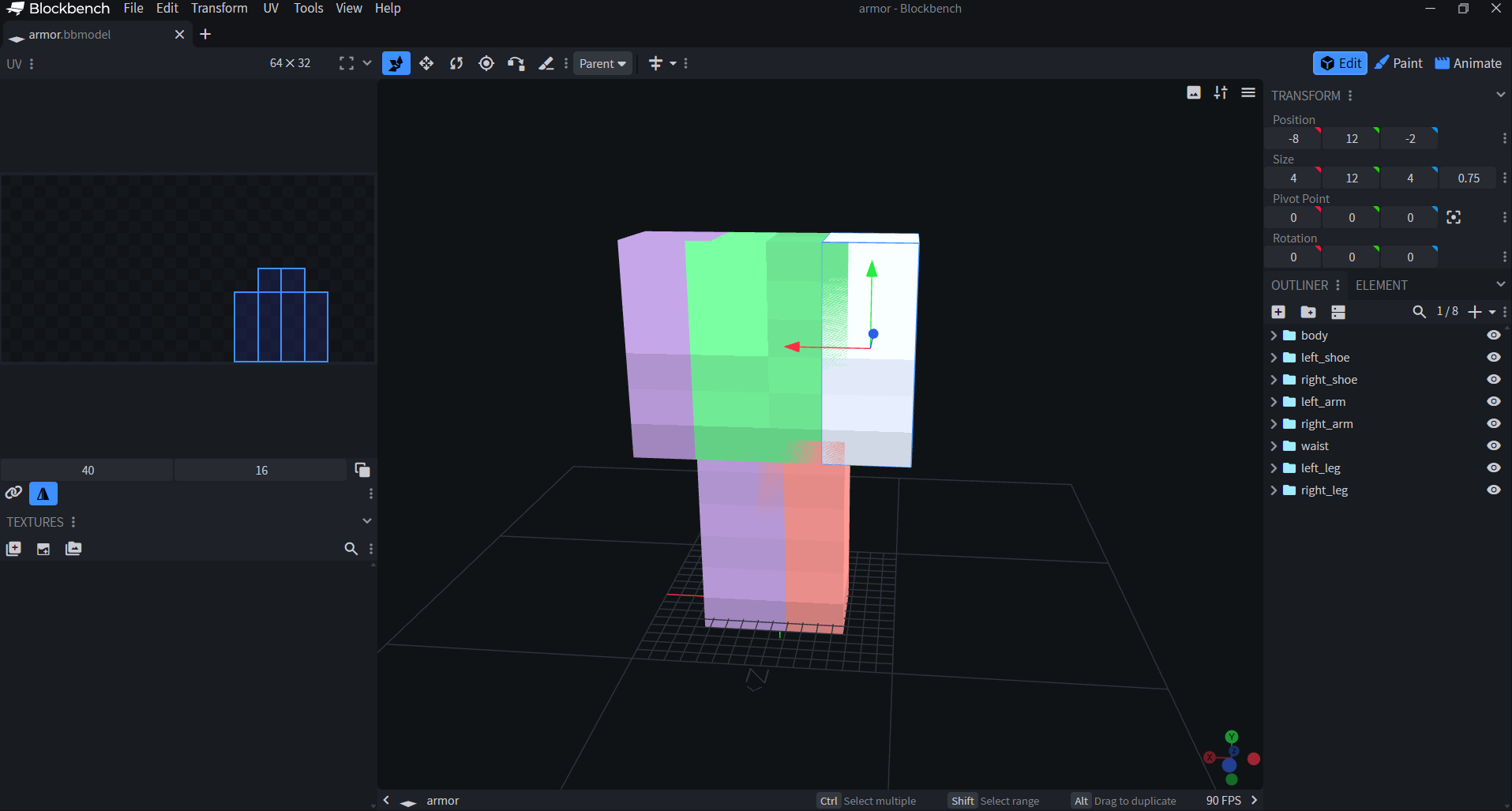
You should see this in blockbench :
 {width=900 height=483}
This template includes all the required bones and pivot points needed for your armor to work correctly. Be sure not to modify the pivot points or rename any of the bones. If you need to use a different bone name, choose one from the list below.
| Limbs | Aliases |
|---|---|
| Head | head, helmet, hat |
| Body | body, chest, torso |
| Left Arm | left_arm, leftarm, arm_l, l_arm |
| Right Arm | right_arm, rightarm, arm_r, r_arm |
| Waist | waist, hips |
| Left Leg | left_leg, leftleg, leg_l, l_leg |
| Right Leg | right_leg, rightleg, leg_r, r_leg |
| Left Foot | left_foot, leftfoot, foot_l, l_foot, left_boot, boot_l, left_feet, leftfeet, feet_l, l_feet |
| Right Foot | right_foot, rightfoot, foot_r, r_foot, right_boot, boot_r, right_feet, rightfeet, feet_r, r_feet |
Modify the cubes contained in each appropriate bone part to create the shaping of your armor.
The head bone is optional and is not in the template. Add a group named head and your set gains a helmet as well. A model that only has a head bone is fine too, so you can make a hat on its own.
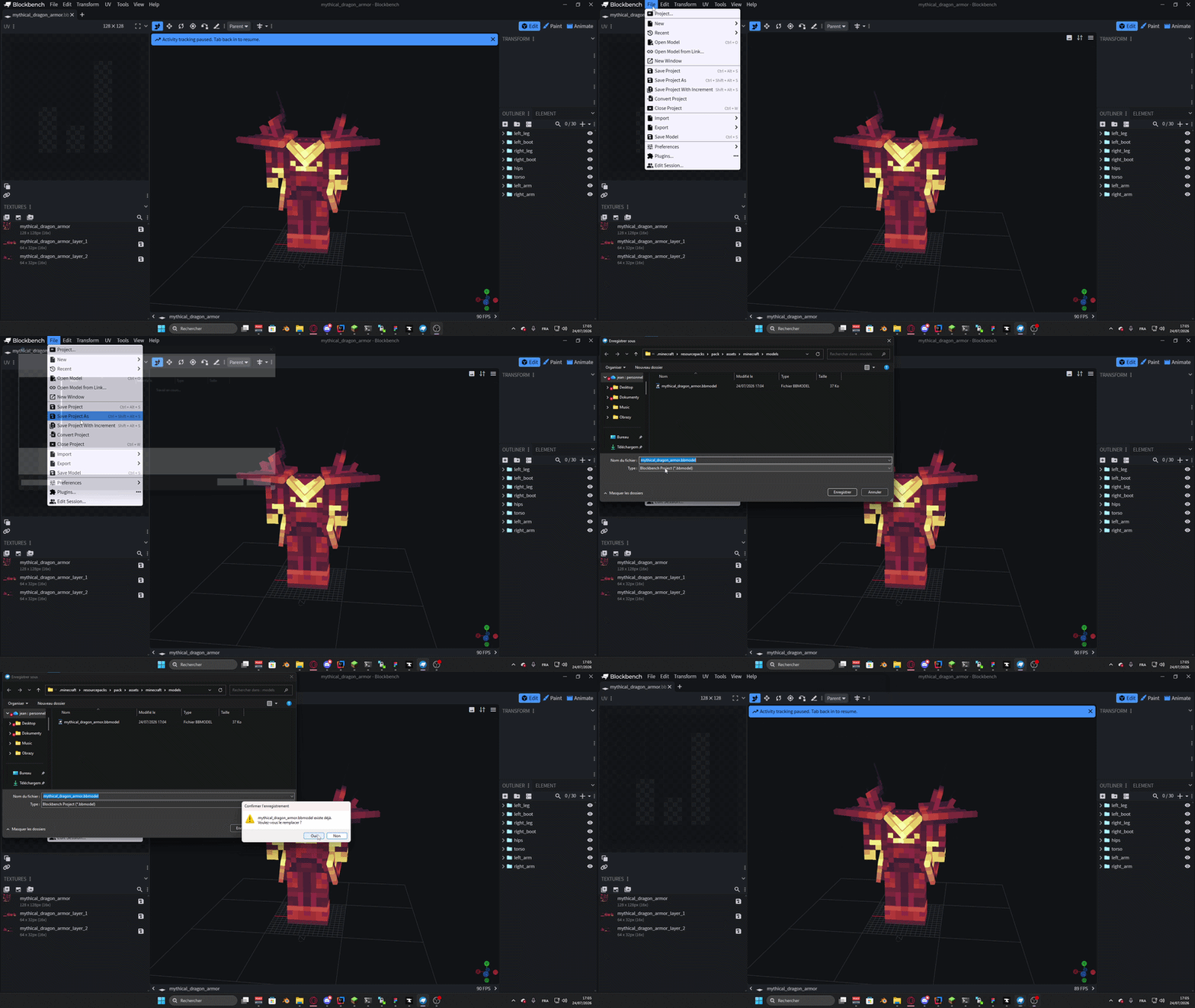
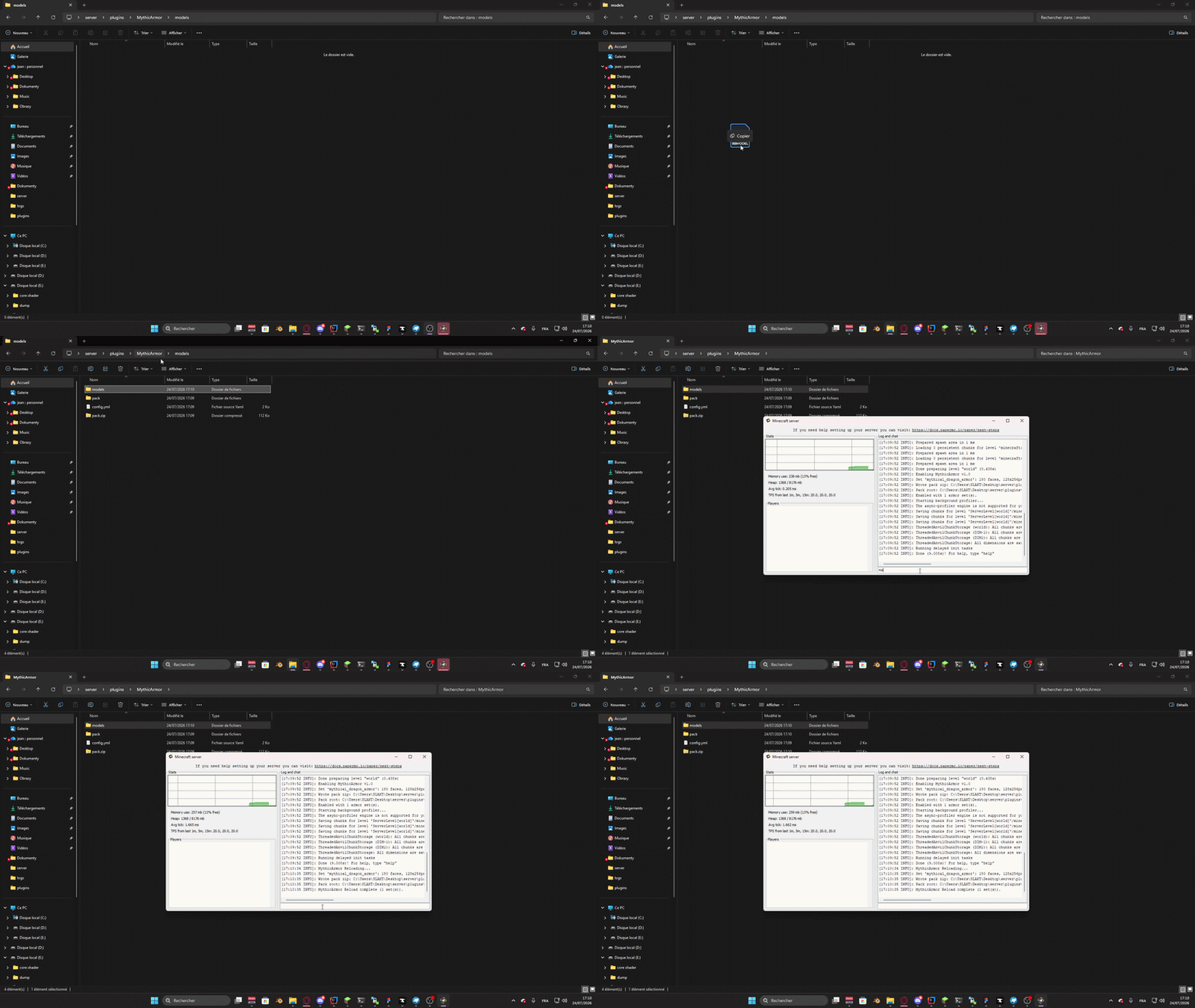
Once complete, save your .bbmodel file (if asked, the separate texture file save is not needed and can be skipped) and place it in a Pack Source Folder such as plugins/MythicArmors/models or plugins/MythicMobs/armors/.
 {width=800 height=450}
 {width=800 height=450}
Finally, execute
{width=800 height=450}
Finally, execute /ma reload - the Resource Pack should now generate as plugins/MythicArmor/pack.zip, and/or merge into a Pack Manager if configured to do so.
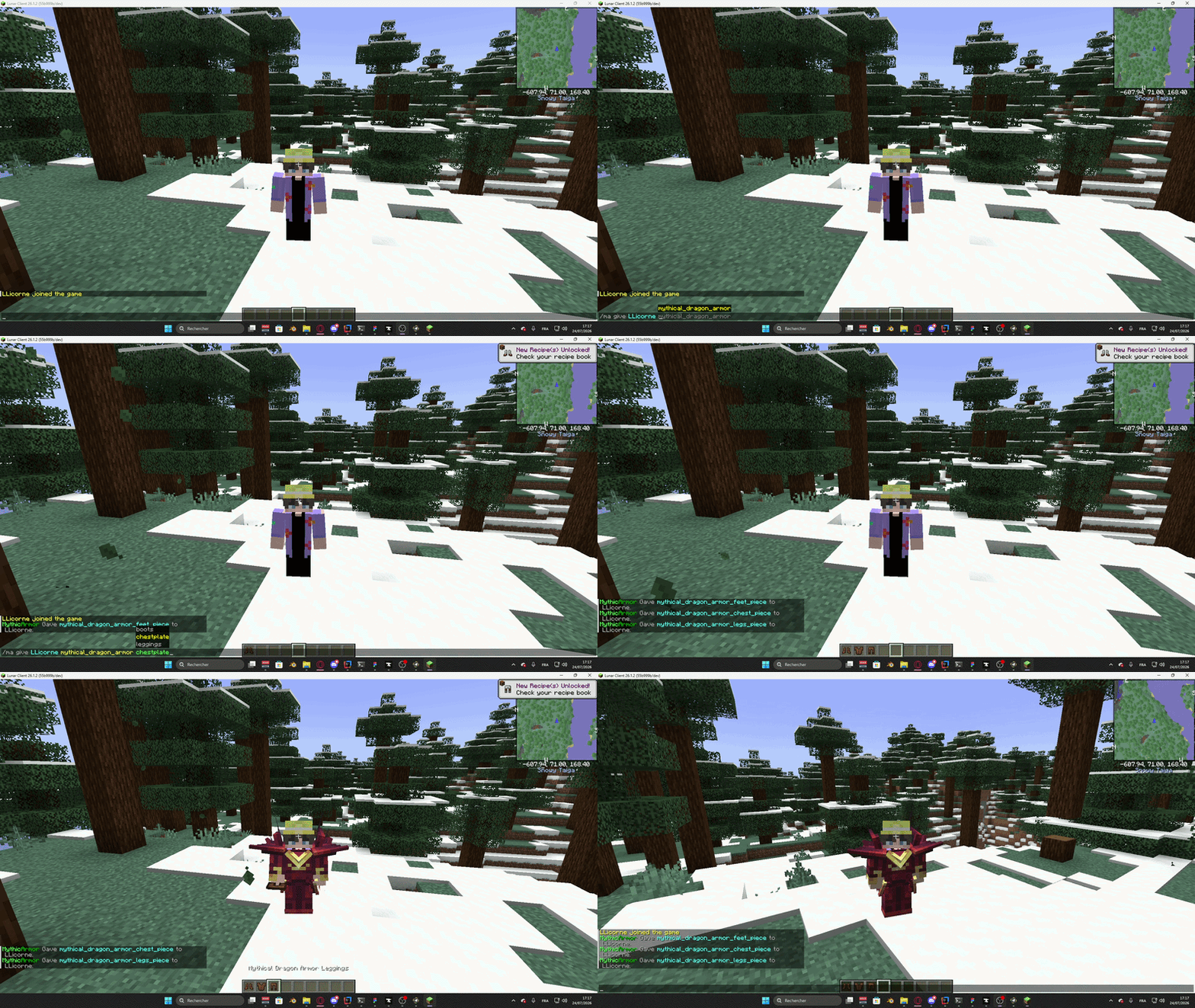
Once you have the resource pack equipped, either manually or distributed by the server, run the command /ma give [player] [armor_name] [helmet/chestplate/leggings/boots] to get your armor_name.bbmodel onto an armor piece and
And voilà! You can now try out your new armor!
 {width=800 height=450}
Add it using Minecraft, MythicCrucible or Nexo
Vanilla Support
To give yourself the armor using vanilla commands:
/give @s minecraft:leather_helmet[minecraft:item_model="mythicarmor:name_of_your_armor_head_piece",minecraft:equippable={slot:head}]
/give @s minecraft:leather_chestplate[minecraft:equippable={slot:chest,asset_id:"mythicarmor:name_of_your_armor_chest_piece"}]
/give @s minecraft:leather_leggings[minecraft:equippable={slot:legs,asset_id:"mythicarmor:name_of_your_armor_legs_piece"}]
/give @s minecraft:leather_boots[minecraft:equippable={slot:feet,asset_id:"mythicarmor:name_of_your_armor_feet_piece"}]
Mythic Item/Crucible Support:
To create a custom Mythic Item that features your 3D Mythic Armor:
name_of_your_armor_head_piece:
  Material: LEATHER_HELMET
  Display: Name of your cool armor
  Equippable:
    Slot: HEAD
  Options:
    ItemModel: mythicarmor:name_of_your_armor_head_piece

name_of_your_armor_chest_piece:
  Material: LEATHER_CHESTPLATE
  Display: Name of your cool armor
  Equippable:
    Model: mythicarmor:name_of_your_armor_chest_piece
    Slot: CHEST

name_of_your_armor_legs_piece:
  Material: LEATHER_LEGGINGS
  Display: Name of your cool armor
  Equippable:
    Model: mythicarmor:name_of_your_armor_legs_piece
    Slot: LEGS

name_of_your_armor_feet_piece:
  Material: LEATHER_BOOTS
  Display: Name of your cool armor
  Equippable:
    Model: mythicarmor:name_of_your_armor_feet_piece
    Slot: FEET
Nexo Item Support
To create a Nexo item featuring your Mythic Armor:
example_head_piece:
  itemname: Example Hat
  material: LEATHER_HELMET
  Components:
    item_model: mythicarmor:example_head_piece
    equippable:
      slot: HEAD

example_chest_piece:
  itemname: Example Chestpiece
  material: LEATHER_CHESTPLATE
  Components:
    equippable:
      slot: CHEST
      asset_id: mythicarmor:example_chest_piece
Troubleshooting
Pack Applications
Ensure your resource pack is equipped and loaded properly - this can require configuration of your server, or manually downloading and loading the pack.zip the plugin generates in its plugin folder.
Entity Shaders
MythicArmors are incompatible with external core entity shaders. If you are using ModelEngine, ensure the plugins/ModelEngine/config.yml has create-shader set to false to disable this conflicting feature.